Looksy is Summer City’s hottest social media platform! Think a mixture of Instagram and Onlyfans, populated exclusively by the hottest babes on and off X-Change. In game, Looksy is an opportunity for self-expression and alternate income. Your profile will attract followers interested in the content you post, who can comment/like/share posts based on how engaging your content is. More “spicy” content will attract a more male following, so take care before posting those bikini pics!
Once set up, Looksy is available at home every night after purchasing a computer from Radio Shack at the Paradise Mall. You must purchase the computer at the Paradise Mall before Looksy will appear, even if you have followed the rest of the steps here.
Setting Up Looksy
Looksy depends on a connection to a basic Large Language Model to generate the comments left by your followers. Free options work perfectly fine. In this guide, we’re going to set up a basic connection from X-Change Life 0.25 to a free API hosted on OpenRouter.
First, go into your game’s “Options” menu.
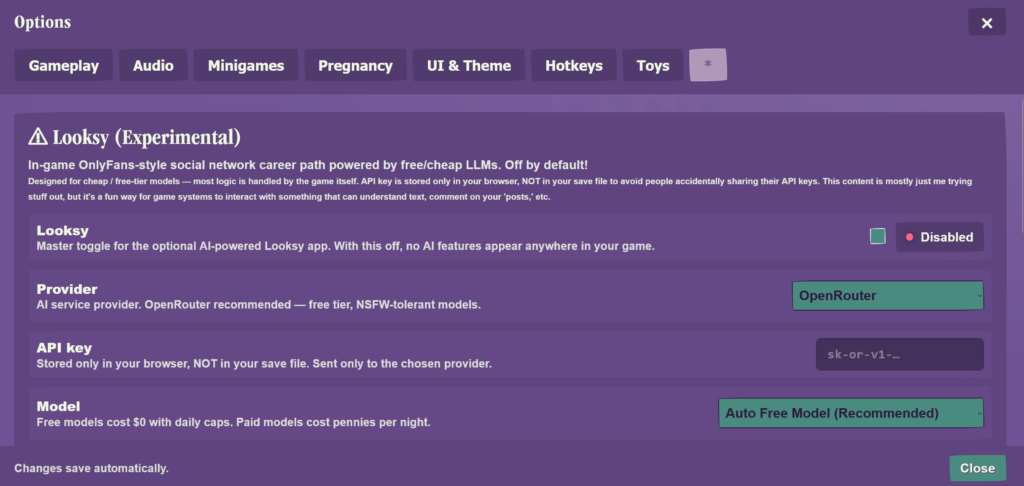
Under * (farthest right menu, past “Toys”), you’ll see Looksy (Experimental).
First, note that Looksy is off by default for newcomers to X-Change Life. Looksy is not a required feature by any means — if you are not interested in Gen-AI features, you aren’t missing out by leaving it off!
In this case, we are going to set our Provider to “OpenRouter”. Users with GPU’s can use a local model, but that is beyond the scope of this guide.
Make sure your model setting is set to “Auto Free Model” to avoid incurring any charges.
Now: getting your API key!
Navigate to OpenRouter, and sign in with whatever method you prefer. Google, Github, Metamask, or an email — any option is acceptable.
Once signed in we are going to create a new key.

Choose a name for your API key. No need to change any other settings.
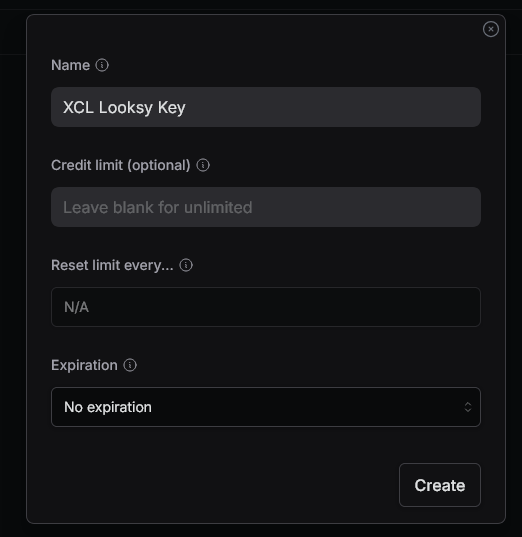
After creating a new key, you will be shown your key to copy it.
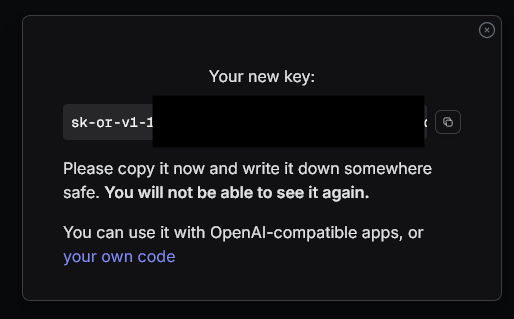
Your API key will start with “sk” or something similar. Copy your API key, and paste it into X-Change Life’s options menu as shown.

That’s it! You should be able to use the OpenRouter API key you created.
Testing your API Key
Use the “Test Connection” button under “Connection” in the X-Change Life “Options” menu. If successful, X-Change Life should be able to verify that your OpenRouter API key is active. The example shown below has successfully verified, meaning that Looksy is now available in game.
