In addition to changing your clothing from your wardrobe, you can plan an oufit for each playable time slot.
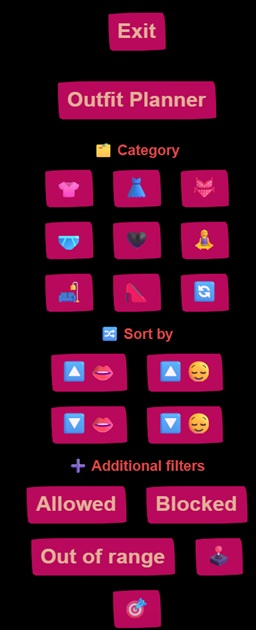
The Planner menu
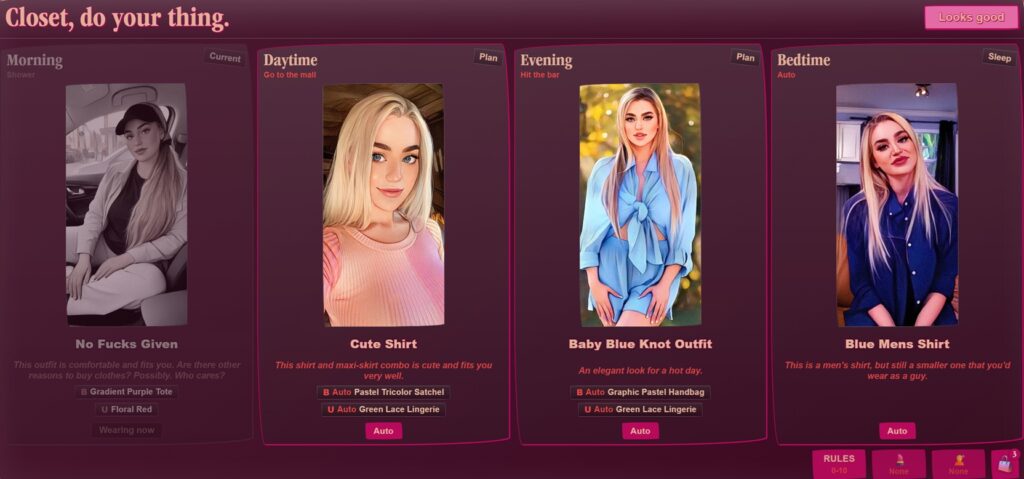
You’ll see your four timeslots, as well as the oufits for each. As the image was taken from the morning slot, the outfit is already being worn so it is greyed out and not editable from the planner. For the others, clicking the image will allow you to edit the plan for the time slot.
Edit menu
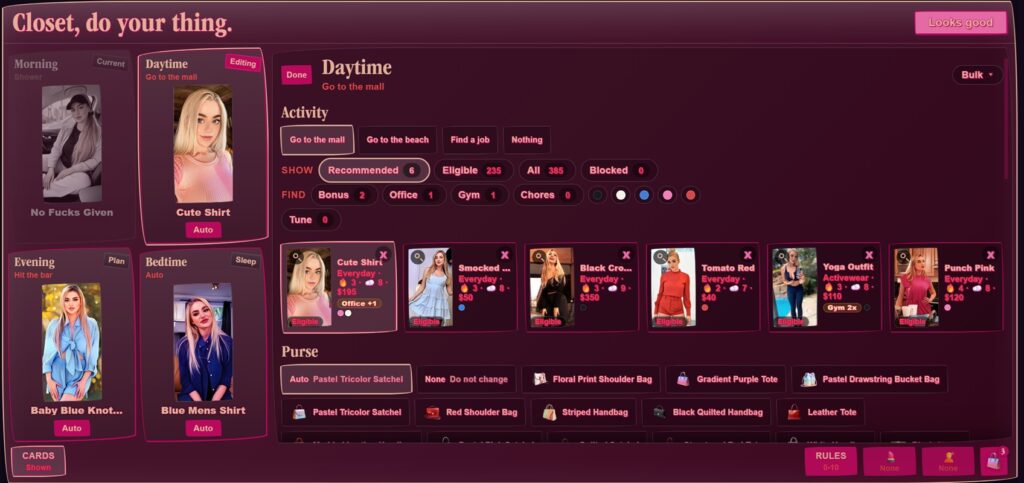
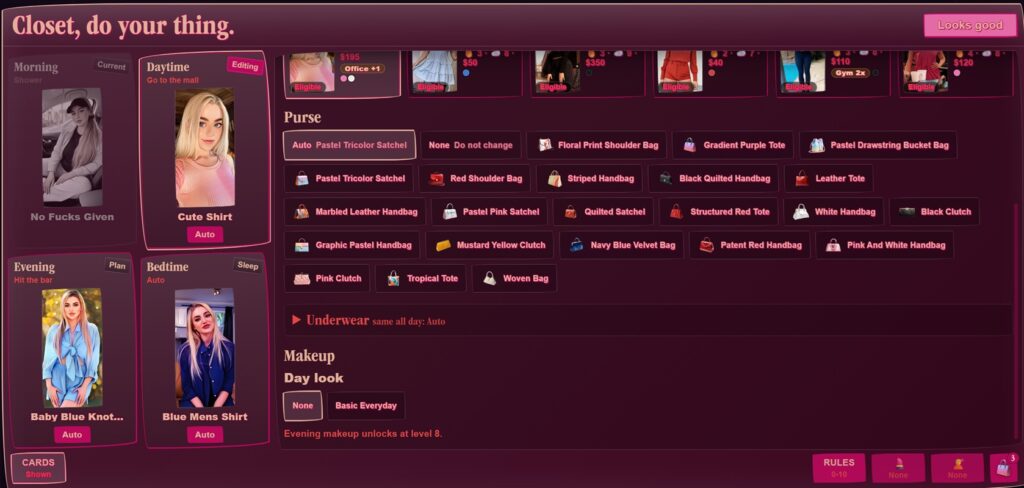
From the edit menu you can select the “cards” on the left and make edits to the time slot.
- Activity: The available activities for that time slot
- Recommended: A set of outfits recommended based on global settings and availability
- Eligible: Outfits marked as usable for the timeslot/activities
- All: Lists all outfits without filtering
- Blocked: You’ll notice an x on the outfits, clicking them will add the outfit to the “Blocked” list. Clicking the x on a Blocked outfit removes it from the list and puts it back into the regular wardrobe. This is currently an all or nothing setting. One work around would be to pack a desired outfit in your handbag to change into, as the setting only affects the planner.
Purse allows you to manually choose your handbag.
Underwear can allow you to choose your underwear or toggle it off.
Makeup allows you to set a look for your auto-makeup (if applicable).
If the cards become distracting, the “Cards Shown” button on the bottom left will hide them.
Other setting options
Other options are available using the buttons on the bottom right of the interface.
Global Rules
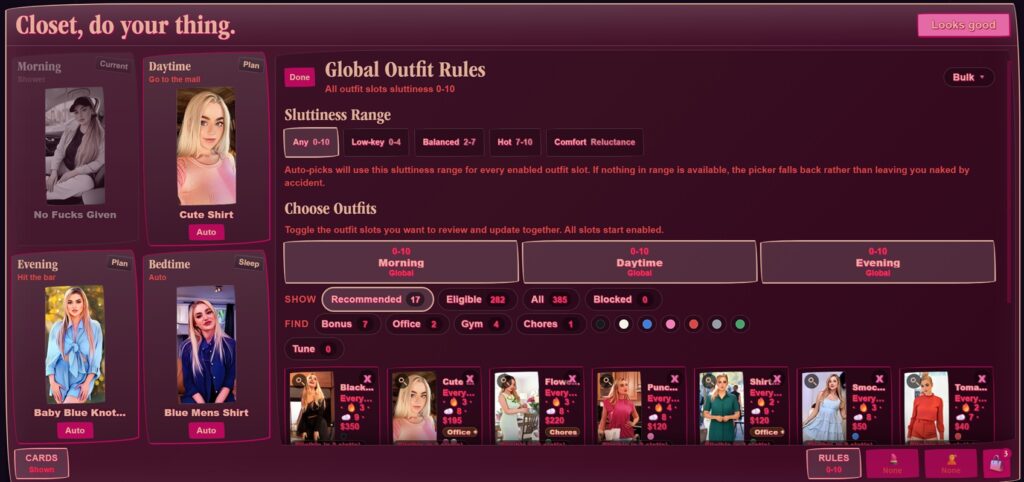
Global rules allows some control over the auto selection of outfits.
- Sluttiness range: Only outfits with scores in the selected range will be considered
- Choose outfits: Another way of planning. Select timeslots to review outfits. A secondary set of filters is available to assist browsing.
Auto Makeup
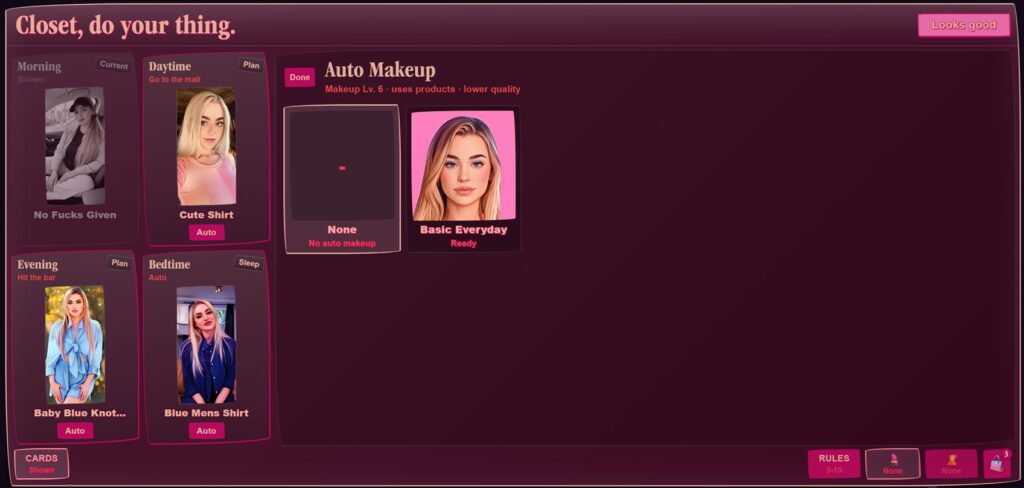
Auto makeup allows you to set the look for the auto makeup option. As shown, the character only has one look learned so that is all that is available. Makeup supplies and skill level still apply. You will need them all or the auto makeup will not be applied, regardless of setting.
Auto Hair
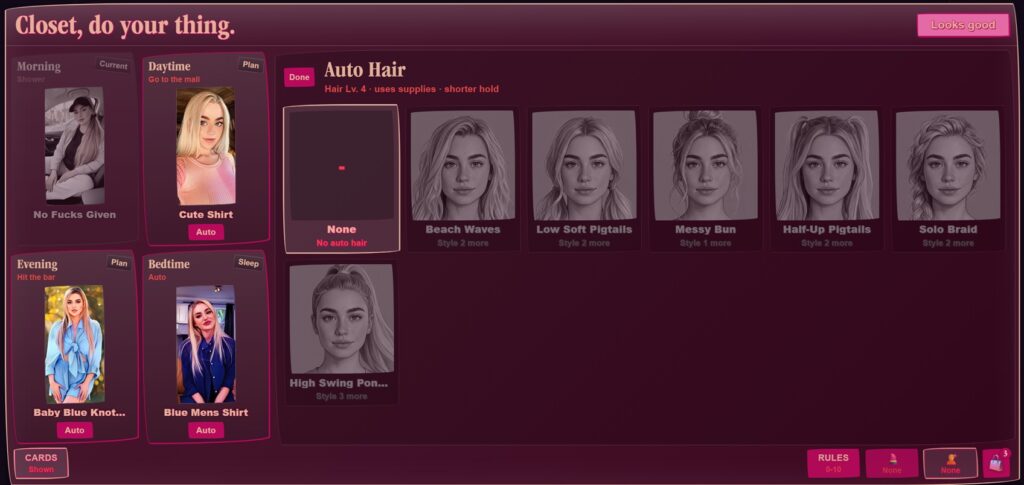
Auto hair allows you to select a learned hairstyle to automatically be applied. As shown, this character has not practised the hair styles enough to set them automatically. This interface will also tell you how many more times you will need to apply the style yourself before unlocking the auto option.
Handbag
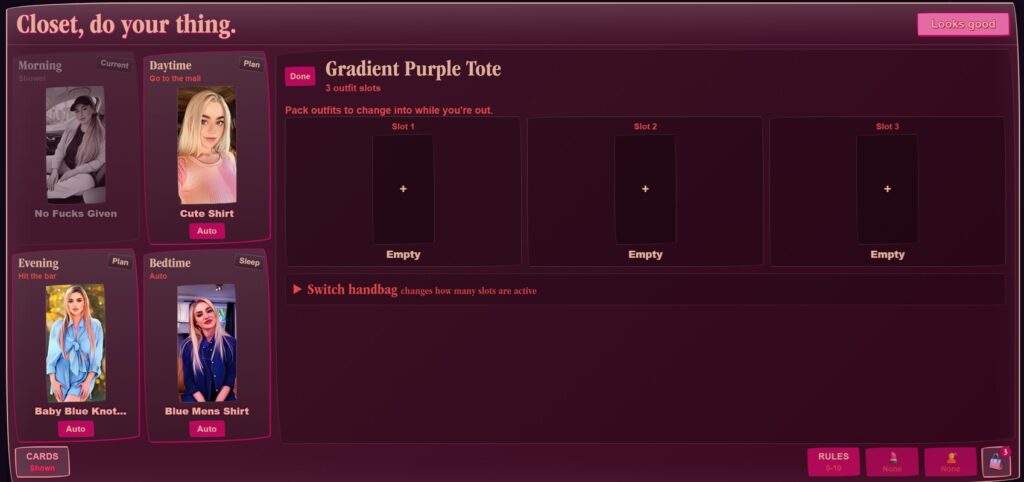
Handbag allows you to set your handbag, as well as select “spare” outfits to change into in case of…mishaps. The number of outfit slots available depends on the size of the handbag. Once you have left home, the outfits in your handbag are the only options to change into in the same timeslot.
Looks Good
Located in the upper right corner, this sets the plan and exits the interface. You can revisit again from your wardrobe and handbag. Remember, once you leave home some restrictions will be implemented!