
Setting Up AI for Looksy
Setting Up AI for Looksy
| Where | Settings, "Looksy" tab |
|---|---|
| Needed for Looksy | No |
| Easiest | OpenRouter |
| Cost | About a cent a day, or free with limits |
Looksy works without any of this. Connecting an AI model is a nice extra that has fans write their comments, replies and messages in their own voices, reacting to what you actually said, and this page walks you through turning it on.
You'll still need a computer from Radio Shack before Looksy shows up at home, so grab that first if you haven't.
Choosing a provider [suggest]
| Provider | What it is |
|---|---|
| OpenRouter | The easiest. One account and cheap models, about a cent per in-game day, or free with a daily limit. |
| Local (OpenAI-compatible) | A model running on your own computer, in LM Studio, Ollama or llama.cpp. Free, and nothing leaves your computer. |
| Custom (OpenAI-compatible + key) | Any other OpenAI-compatible service, with its own URL, key and model. |
Setting up OpenRouter [suggest]
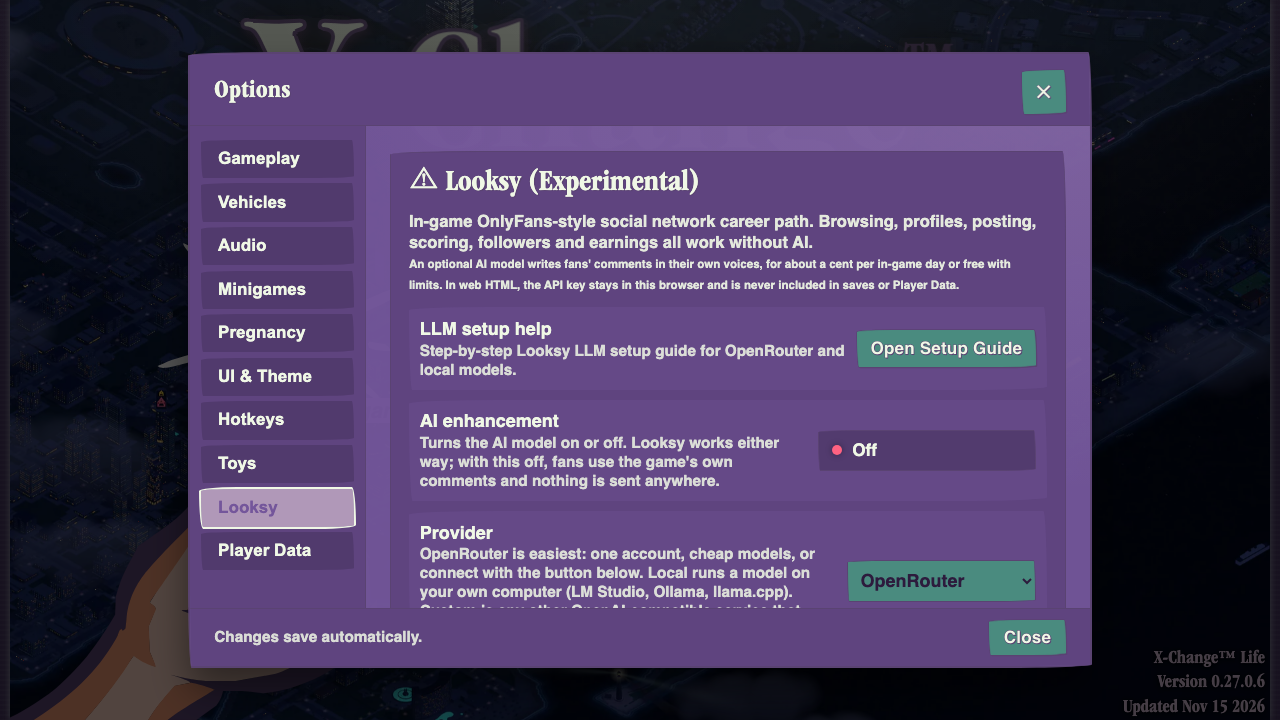
- Open Settings and go to the "Looksy" tab.
- Turn "AI enhancement" on.
- Leave Provider on OpenRouter, and pick "DeepSeek V4.1 Flash (Recommended, about a cent a day)" as the Model. If you'd rather not add any credit, pick "Free Auto Model" instead, but heads up: it has a daily limit and often tones down spicy posts.
- Connect your account with "Optional: use my OpenRouter account", or paste an OpenRouter key into "API key" (see below).
- Press "Test Connection". Once Status says "Verified", you're all set!
Getting an OpenRouter key [suggest]
The account button is the quickest way in, but if you're playing from a downloaded HTML file you'll need a key instead. Go to openrouter.ai/keys, sign in however you like, and create a new key.

Give it any name you like, then copy the key and paste it into "API key" in the game. Treat it like a password and don't share it with anyone.
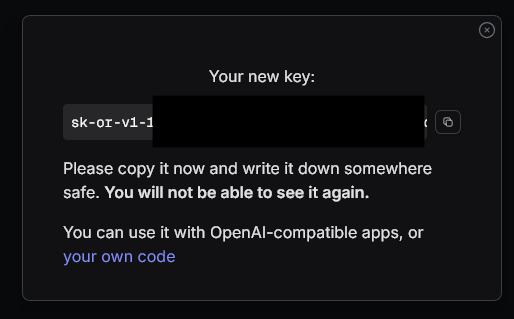
On the website and in the web version, the key stays in your browser and is never put in your saves or your Player Data.
OpenRouter models [suggest]
| Model | Good for |
|---|---|
| DeepSeek V4.1 Flash | The recommended pick, about a cent a day. |
| Cydonia 24B | Paid and NSFW-friendly, so it writes the best comments. |
| Mistral Small 3.2 | Paid and cheap, with a mild filter. |
| Free Auto Model | Free, with a daily limit, and it often filters spicy posts. |
Running a model on your own computer [suggest]
Set Provider to "Local (OpenAI-compatible)". Start LM Studio, Ollama or llama.cpp with a model loaded, check that "Server URL" points at it, then press "Test Connection". The full setup guide lists models that fit your graphics card.
Separate model for comments [suggest]
Turn on "Separate model for comments" if you'd like one model to read your posts and another to write what your fans say. A good pairing is DeepSeek for reading posts and Cydonia 24B or a local roleplay model for the comments. If the comments model ever fails, the game's own comments show up instead, so nothing breaks.
For every step in detail, including LM Studio, Ollama and KoboldCpp, press "Open Setup Guide" in the "Looksy" tab, or read the full Looksy setup guide on GitGud.